 Skip to content
Quick answer: what do I do if my BDG deposit is not received?
Do not pay again. Check Deposit history, find the UTR or transaction ID in your payment app, then open Customer Service → Recharge not received and send the order number, UTR and a payment screenshot. Track the request with Progress query.
Check first
What should I check before contacting BDG support?
Confirm the payment really left your account, check Deposit history, and wait a few minutes for the channel to confirm.
| Where to look | What you want to see |
|---|---|
| Your UPI or bank app | Status “Success” and a 12-digit UTR |
| BDG Deposit history | The order and its status |
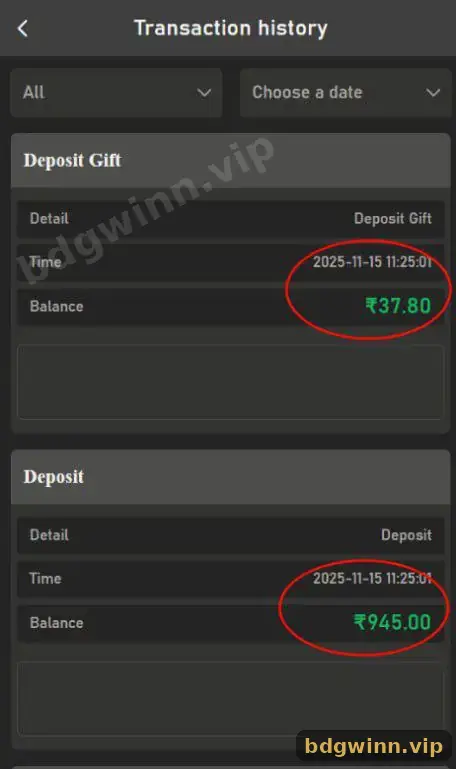
| BDG Transaction history | A deposit line (and Deposit Gift for bonus channels) |
| Crypto wallet | A confirmed transaction hash on the right network |
Step by step
How do I report a missing BDG deposit?
Use the Recharge not received request in Customer Service with complete proof.
- Stop and do not repay. Paying twice creates two orders to sort out.
- Copy the order number. Find it in Deposit history.
- Copy the UTR or hash. From your UPI app or crypto wallet.
- Open Customer Service. Choose Recharge not received.
- Send the proof. Order number, UTR, amount, time and a clear screenshot.
- Track it. Use Progress query instead of opening a new request.
Causes
Why do BDG deposits get stuck?
Most stuck deposits come from a different paid amount, a slow payment channel, a network delay or a payment made to an expired order.
- You paid a different amount than the order.
- The payment page expired before you paid.
- Bank or UPI servers were slow.
- For USDT: wrong network or unconfirmed transaction.
- You paid outside the BDG payment page, for example to a personal UPI ID someone sent you.
Scam alert: anyone who promises to “fix” a deposit for a fee, or asks for your UPI PIN, is a scammer. Only use in-app Customer Service.
Refunds
Will I get my money back if a BDG deposit fails?
If the payment reached the platform, support can credit it after checking your proof; if the payment failed, your bank normally reverses it.
Bank reversals follow your bank’s own timeline. Keep all screenshots until the case is closed. See the full BDG customer service guide and the BDG deposit steps. Our BDG Game login and deposit guide covers the whole wallet.
FAQ
BDG deposit not received FAQ
How long should I wait before reporting a BDG deposit?
If it has not shown after several minutes and your payment app says Success, report it with your UTR.
What is a UTR number?
A UTR is the reference number of a UPI or bank transfer, usually 12 digits, shown in your payment app.
Should I pay again if my BDG deposit is pending?
No. Paying again creates a second order. Report the first one instead.
What does Progress query do?
It lets you check the status of a request you already submitted to Customer Service.
My bank shows success but BDG shows failed. What now?
Send the UTR and screenshot through Recharge not received so support can match the payment.
Can a stuck USDT deposit be recovered?
If it was sent on the right network to the right address, support can trace it with the hash. Wrong-network transfers may not be recoverable.
Summary
Key takeaways
- Never pay twice for one order.
- Collect the order number, UTR and screenshot.
- Use Customer Service → Recharge not received.
- Track with Progress query.
- Ignore anyone offering paid “deposit recovery”.
