 Skip to content
Quick answer: how do I fix a BDG login problem?
First check the mobile number and password, then your internet connection, then update or reinstall the app; if it still fails, contact BDG Customer Service with your UID or number. Do not try random passwords many times in a row, and never give your password to someone offering to “unlock” your account.
Diagnose
What causes BDG login errors?
BDG login errors usually come from five things: a typing mistake, a changed or forgotten password, a weak connection, an outdated app or a fake login page.
| Symptom | Most likely cause | Fix |
|---|---|---|
| Wrong password message | Typo, caps lock, old saved password | Retype carefully; clear saved passwords; then reset |
| Account not found | Different mobile number used at sign-up | Try your other numbers; ask support to search |
| Endless loading | Slow or blocked connection | Switch Wi-Fi/mobile data, disable VPN or data saver |
| App crashes on open | Old or damaged APK | Uninstall, then install the latest from Download APP |
| Page asks for UPI PIN | Fake site | Close it; use a trusted link; change your password |
| Logged out again and again | Browser clearing cookies, low storage | Allow cookies, free space, or use the app |
Step by step
How do I fix BDG login step by step?
Work through these checks in order; most players are back in by step three.
- Check your number. Make sure it is the exact number you registered with.
- Retype the password. Show the password if the field allows it, and watch for capital letters.
- Change the connection. Move from Wi-Fi to mobile data or the other way round, and turn off VPN apps.
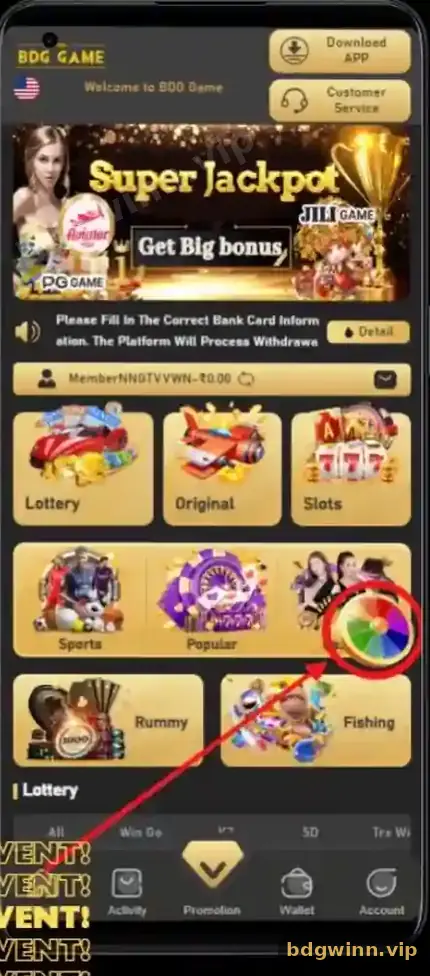
- Clear cache or update. In a browser, clear site data; in the app, install the latest APK from the Download APP button.
- Reset the password. Use Change login password in Customer Service if you still cannot sign in.
- Contact support. Send your UID or number and a screenshot of the error.
App issues
What if the BDG app will not open?
Remove the old app and install the current version from the Download APP button; your account and balance stay safe on the server.
Your money and history are stored in your account, not in the app file, so reinstalling does not delete anything. Avoid old APK files shared in groups. They may be modified. The BDG old version APK page explains why, and the BDG Game download guide shows a clean install.
Scam warning
Can someone unlock my BDG account for money?
No. Only BDG Customer Service inside the app can help with account access, and they do not need your password or OTP.
Watch out: people in Telegram or WhatsApp groups who offer to “recover”, “unlock” or “hack” a BDG account are scammers. They ask for your OTP or a fee and then disappear.
Stay on the support channels shown in the app. You can find them in the BDG customer service guide. For regular sign-in steps, go back to the BDG Game login guide or the BDG Game homepage.
FAQ
BDG login problem FAQ
Why does BDG say my password is wrong?
The most common reasons are a typo, caps lock, or a password saved in the browser from before you changed it. Retype it carefully, then reset it if needed.
Will reinstalling the BDG app delete my balance?
No. Balance, bonuses and history are linked to your account and come back when you log in again.
Why does the BDG page keep loading?
A slow or filtered connection is the usual cause. Switch networks, turn off VPN or data saver and try again.
Can I recover a BDG account without my old number?
Contact Customer Service with your UID and any deposit proof. Access depends on the checks they run.
Is it safe to log in through a link from a Telegram group?
Only if you are sure it opens the real BDG site. Links in groups are often fake. Use a trusted link or a bookmark instead.
How long should I wait after many failed attempts?
If the app shows a limit or warning, wait before trying again and use Change login password instead of guessing.
Summary
Key takeaways
- Check the number, password and connection before anything else.
- Reinstalling the app never deletes your balance.
- Use Change login password in Customer Service to reset access.
- Nobody outside in-app Customer Service can unlock your account.
- Log in only through trusted links.
