 Skip to content
Quick answer: how do I download BDG Game?
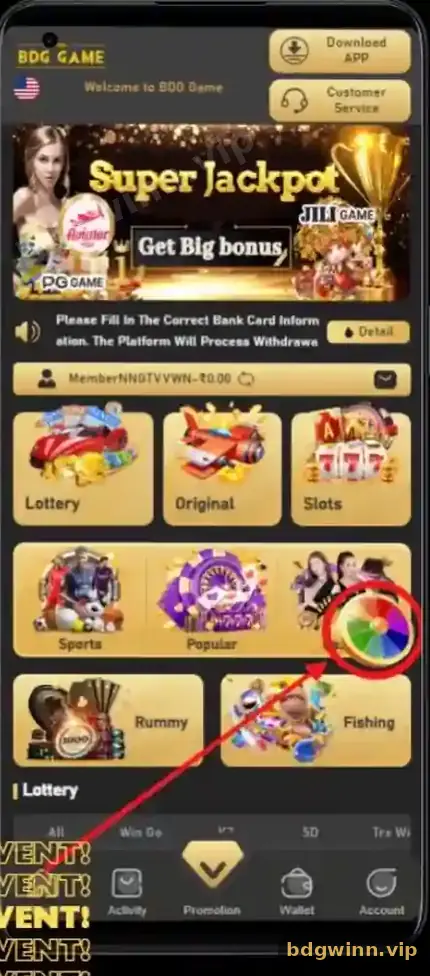
Open BDG in your Android phone browser, tap Download APP at the top of the home screen, save the APK file, allow installs from that browser and tap Install. The BDG app is not on the Google Play Store. Only download it from the Download APP button, never from a random APK site.
Step by step
How do I install the BDG Win APK on Android?
Download, allow, install, log in: the whole process takes a few minutes on a normal connection.
- Open BDG in your browser. Use Chrome or your phone’s default browser.
- Tap Download APP. The button is at the top right of the home screen.
- Save the file. Your phone may warn that APK files can be harmful; that warning appears for every app outside the Play Store.
- Allow the install. Go to Settings → Apps → Special access → Install unknown apps and allow your browser. Menu names vary by phone brand.
- Install and open. Open the file from Downloads, tap Install and then Open.
- Log in. Use your normal number and password; your balance is already there.
Play Store
Why is BDG Game not on the Play Store?
Real-money gaming apps like BDG are generally shared as a direct APK download rather than through the Google Play Store.
Because of that, apps on the Play Store that use the BDG name are not the platform’s app. Some are guides, some are clones. The BDG Game app page explains the app’s features and how it compares with the browser.
Stay safe
How do I avoid a fake BDG APK?
Download only from the Download APP button inside BDG, and never install mod, hack or “prediction” APKs.
| Safe sign | Red flag |
|---|---|
| Downloaded from the Download APP button | Sent as a file in Telegram or WhatsApp |
| Asks only for normal install permission | Asks for SMS, contacts or accessibility access |
| Opens the usual BDG login | Asks for your UPI PIN or OTP |
| Current version | “Old version”, “mod”, “hack” or “VIP” labels |
If you are looking for an older build because the app broke, read BDG Game old version APK first.
iPhone
Can I use BDG Game on iPhone?
On iPhone, open BDG in Safari and use it in the browser; the APK file only installs on Android.
You can add the page to your home screen from Safari’s share menu for one-tap access. Everything, from deposits to the Lucky Spin, works the same in the browser; see BDG Game online. Our BDG Game app and login guide covers the rest.
FAQ
BDG Game download FAQ
Is the BDG Game APK free?
Yes. Downloading and installing the app costs nothing.
Is it safe to allow “install unknown apps”?
It is required for any APK outside the Play Store. Allow it only for the browser you used, and turn it off again after installing.
Why does my phone say the BDG file may be harmful?
Android shows this warning for every APK downloaded outside the Play Store. It is still important to download only from the Download APP button.
Will my balance move to the app?
Yes. Log in with the same details and everything is there.
How do I update the BDG app?
Download the latest APK from the Download APP button and install it over the old one.
Is there a BDG app for PC?
On a computer, simply use BDG in your web browser.
Summary
Key takeaways
- Download only from the Download APP button on the BDG home screen.
- BDG is not on the Play Store.
- Allow installs for your browser, then install and log in.
- Never install mod, hack or prediction APKs.
- On iPhone, use BDG in Safari.
