 Skip to content
Quick answer: what do I do if I forgot my BDG password?
Open BDG Customer Service, choose the Change login password request, verify your registered mobile number and follow the steps to set a new password. If you can still log in, change it now from the same menu. Never share the old or new password with anyone who contacts you first.
Reset
How do I reset my BDG Game password?
The password reset goes through the Change login password option in BDG Customer Service.
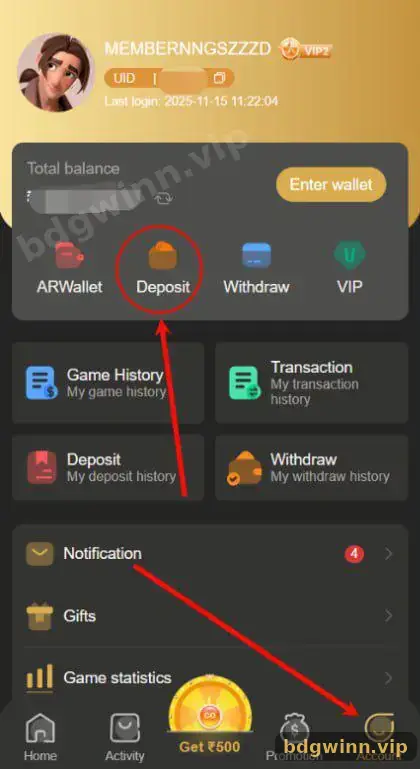
- Open Customer Service. Tap Customer Service on the home screen, or Service center on the Account page.
- Choose Change login password. It is listed with the other self-service requests.
- Enter your account details. Give your registered mobile number or UID as asked.
- Complete verification. Follow the checks shown. Staff may ask for deposit proof to confirm you own the account.
- Set a new password. Pick one you have never used before, then log in with it.
Strong password
What makes a good BDG password?
Use at least 8 characters with letters and numbers, unique to BDG, and never your mobile number or birthday.
| Do | Avoid |
|---|---|
| Mix upper and lower case letters and numbers | Your phone number, name or date of birth |
| Use a password only for BDG | Reusing your email, UPI or bank password |
| Store it in a password manager | Writing it in chat groups or screenshots |
| Change it if you see an unknown Last login | Sharing it with “agents” or friends |
Still logged in
How do I change my password while logged in?
If you still have access, use the same Change login password request now, before you forget it or someone else gets in.
Changing your password from a logged-in session is simpler because the platform already knows it is you. It is a good idea after you log in on a shared device, after you see a strange Last login time, or if you ever typed your password on a page you now doubt.
Scam warning
Will BDG ever ask for my password or OTP?
No. Anyone asking for your password, OTP or UPI PIN is trying to take your account or money.
Never share: your login password, SMS codes or UPI PIN. Real support only needs your UID, mobile number and proof such as an order number.
If you are locked out for another reason, check the BDG login problem fixes. For the normal sign-in flow, see the BDG Game login guide, and for all topics start at our BDG Game login and register guide.
FAQ
BDG forgot password FAQ
Is there a Forgot password link on the BDG login screen?
The reliable route is the Change login password request in Customer Service. If your version shows a Forgot password link, it leads to the same kind of verification.
How long does a BDG password reset take?
It depends on the verification. Keep your number and any deposit proof ready so staff can confirm you quickly.
Can I reset my BDG password without my mobile number?
Tell Customer Service your UID and give deposit proof. They decide whether the account can be verified.
Will I lose my balance if I reset the password?
No. The balance and history stay in your account.
Can I use the same password as my UPI app?
Please do not. A unique password protects both accounts if one is ever exposed.
Someone changed my BDG password. What now?
Contact Customer Service at once, explain what happened and ask them to secure the account.
Summary
Key takeaways
- Forgot password? Use Change login password in Customer Service.
- Keep your UID, number and deposit proof ready for verification.
- Choose a unique password with letters and numbers.
- Your balance is not affected by a reset.
- Never share passwords, OTPs or UPI PINs.
