 Skip to content
Quick answer: should I install an old BDG Game APK?
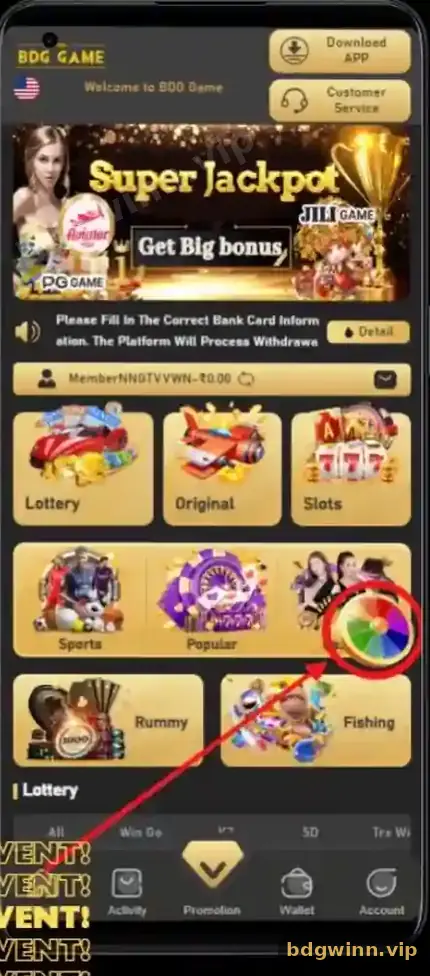
Usually no. If the BDG app stops working, the safer fix is to uninstall it and install the current version from the Download APP button. Old APK files posted on other websites or groups can be outdated, blocked or modified to steal logins.
Why people search
Why do players look for the BDG old version?
Most searches for an old BDG APK start with an app that will not open, looks different after an update or runs slowly on an older phone.
| Reason | Better fix |
|---|---|
| App will not open after an update | Uninstall, restart the phone, install a fresh APK |
| New design feels unfamiliar | Give it a day; menus move but features stay |
| Phone is old or low on storage | Free space or play in the browser |
| Heard the old version “pays more” | False; results are not tied to the app version |
Risks
What are the risks of an old BDG APK?
Old or re-shared APKs can stop connecting, miss security fixes, or carry changes that capture your password and payments.
- Modified files. A re-uploaded APK can be changed to record your login or redirect deposits.
- Broken features. Old builds may fail to load deposits, withdrawals or new events.
- No support. Customer Service may ask you to update before helping.
- Fake “VIP” builds. Versions sold as “prediction” or “hack” apps are scams.
Never enter your UPI PIN, OTP or bank details into an app you got from a group or file-sharing site.
Fix it
How do I fix the BDG app without an old version?
Clear, reinstall, or use the browser: one of these three solves nearly every app problem.
- Clear the app cache. Settings → Apps → BDG → Storage → Clear cache.
- Reinstall. Uninstall the app, restart the phone and install the latest APK from the Download APP button.
- Free up storage. Keep at least a few hundred MB free.
- Try the browser. Play BDG Game online while you sort the app out.
- Contact support. If nothing works, send a screenshot of the error to BDG Customer Service.
Balance
Will I lose my money if I reinstall BDG?
No. Your balance, bonuses and history are saved in your account on the server, not in the app file.
As soon as you log in to the fresh install, everything is back. That is why reinstalling the current build is always safer than trusting an old file. For all app questions, see the BDG Game app guide or our bdg game homepage.
FAQ
BDG old version FAQ
Where can I download the BDG old version APK?
We do not link to old APK files. Install the current version from the Download APP button inside BDG.
Does the old BDG app give better results?
No. Game results are decided by the platform, not by the app version on your phone.
Why did my BDG app stop working?
An update, a full storage or a damaged file are common causes. Reinstall the latest APK.
Is a BDG mod APK safe?
No. Mod, hack and prediction APKs are unsafe and can steal your account.
Can I play BDG without any app?
Yes. Open BDG in your mobile or desktop browser and log in.
Will reinstalling delete my BDG bonuses?
No. Bonuses and balance stay in your account.
Summary
Key takeaways
- Old or shared BDG APKs are risky and often broken.
- Reinstall the current version from Download APP instead.
- Your balance lives in your account, not the app.
- Mod or prediction APKs are scams.
- The browser is a good backup while you fix the app.
