 Skip to content
Quick answer: how do I fix a BDG withdrawal problem?
Check the status in Withdraw history, confirm your bank name, account number and IFSC, check whether bonus turnover is complete, then send Withdrawal not received (or IFSC modification / Change bank name) to BDG Customer Service with the order number.
Diagnose
Why is my BDG withdrawal pending or failed?
Most withdrawal problems come from bank detail errors, unmet turnover, limits or a request still under review.
| Status or symptom | Likely cause | What to do |
|---|---|---|
| Pending for long | Under review or bank delay | Wait, then send Withdrawal not received |
| Rejected | Wrong details or unmet rules | Read the reason, fix details |
| Success but not in bank | Bank processing | Check your bank with the order details, then ask support |
| Amount limited | Bonus turnover not met | Check turnover in the bonus rules |
| Name mismatch | Bank name differs from details | Use Change bank name request |
Step by step
How do I raise a BDG withdrawal complaint?
Use the matching Customer Service request with full proof.
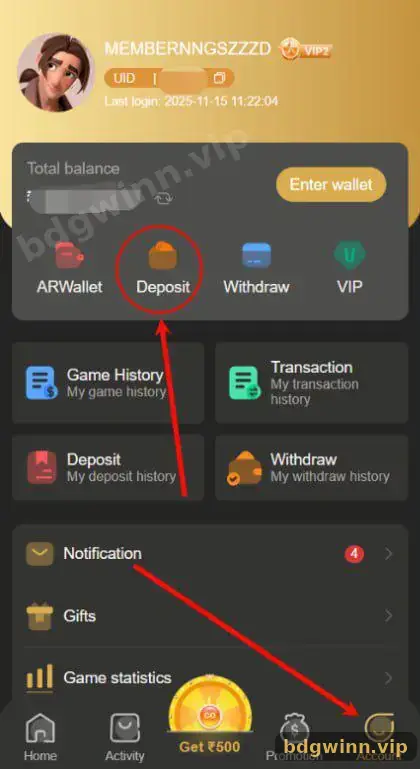
- Open Withdraw history. Copy the order number and status.
- Check your details. Compare name, account number and IFSC with your bank passbook.
- Pick the right request. Withdrawal not received, IFSC modification or Change bank name.
- Send proof. Order number, amount, time and screenshots.
- Follow up. Use Progress query rather than new tickets.
Prevent
How do I avoid BDG withdrawal problems next time?
Enter bank details once and correctly, understand turnover rules, and withdraw through supported routes only.
- The home notice asks players to fill in correct bank card information; take it seriously.
- Use a bank account or UPI in your own name.
- Read bonus terms before accepting a bonus.
- Consider UPI through AR Wallet, which BDG describes as faster than bank transfers.
Never pay a “release fee” or “tax” to someone who messages you about a withdrawal. That is a common scam.
More help
Where else can I get BDG withdrawal help?
BDG Customer Service in the app is the only place that can act on your withdrawal.
Our BDG customer service guide shows every request type, and the BDG withdrawal guide covers the normal flow. For deposits that went missing, see BDG deposit not received. Start from the BDG Game homepage for all guides.
FAQ
BDG withdrawal problem FAQ
Why is my BDG withdrawal still processing?
It may be under review or waiting on the bank. If it takes too long, send Withdrawal not received with the order number.
How do I change my IFSC code on BDG?
Use the IFSC modification request in Customer Service.
My name on BDG differs from my bank. What now?
Send a Change bank name request so the details match.
Will BDG refund a failed withdrawal?
A rejected withdrawal normally returns to your balance. Check your balance and history.
Someone asked me to pay a fee to unlock my withdrawal. Is it real?
No. That is a scam. Use in-app Customer Service only.
Can turnover rules block my withdrawal?
Yes. Bonus funds usually require turnover first.
Summary
Key takeaways
- Check Withdraw history and the reason first.
- Fix IFSC or bank name through Customer Service.
- Bonus turnover can limit withdrawals.
- Send Withdrawal not received with the order number.
- Never pay “unlock” fees to strangers.
